Creating Connections
Connections store the credentials and configuration needed to access external data sources—databases, APIs, file storage, and more. Once created, connections can be reused across tasks and task groups.
Supported Connection Types
| Category | Examples |
|---|---|
| Databases | SQL Server, Azure SQL, Oracle, PostgreSQL, MySQL, Snowflake |
| Cloud Storage | ADLS Gen2, Azure Blob, Amazon S3, SFTP |
| APIs & Services | REST APIs, OData, ServiceNow, Salesforce, Dynamics 365 |
| Enterprise | SAP, Power BI, SharePoint |
See the Connection Types Reference for the full list and required properties.
Creating a Connection
- Navigate to Build > Connections
- Click New Connection
- Enter a Code and Name
- Select the Connection Type
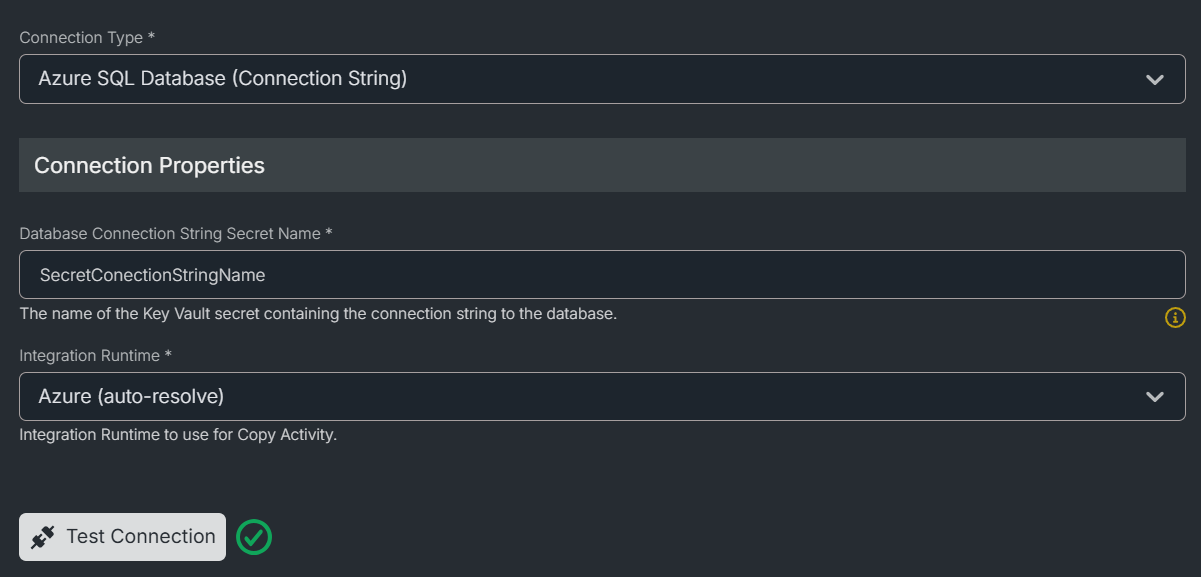
- Fill in the required properties (often Key Vault secret names)
- Click Save
Some connection types require a Data Factory Integration Runtime for on-premises or private network access.
Testing a Connection
Use the Test Connection button to verify your configuration before saving.
note
Test Connection is not supported by all providers (e.g., Power BI, Azure Functions).
What's Next?
- Connection Types Reference — Full list of connection types and their properties
- Using an Integration Runtime — Connect to on-premises or private network sources