Task Groups
Task groups let you share configuration across related tasks—like all tables from the same database. Set properties once at the group level instead of on each task individually.
When to Use Task Groups
Group tasks that share:
- The same Connection (e.g., same source database)
- The same target schema within Databricks
- The same root storage location within the Lakehouse
- The same Databricks cluster
- Common settings for file ingestion, such as delimiter type, rows to skip etc.
tip
Keep groups focused. Don't put tasks from different source databases in the same group.
Avoid task groups when:
- Tasks have completely different configurations
- You need maximum flexibility for each task
- Tasks will diverge in configuration over time
Creating a Task Group
- Navigate to Build > Task Groups
- Click New Task Group
- Give the group a name
- Configure shared properties
Properties to Share
Properties that are normally shared at the task group level include:
| Property | Description |
|---|---|
| Connection | The data source or target connection |
| Target Schema | Destination schema name |
| Retry Settings | Number of retries and wait time |
Assigning Tasks to Groups
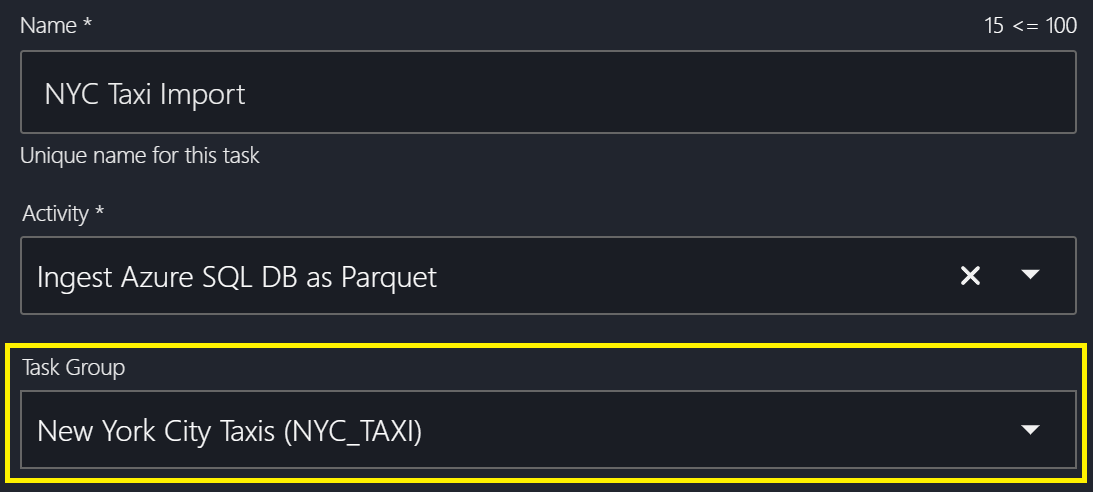
When creating or editing a task, select the task group from the dropdown.
Understanding the A/G/T Icons
In task configuration, icons show where values come from:
- A — Value inherited from the activity
- G — Value inherited from the task group (overrides activity)
- T — Value set at the task level (overrides task group and activity)
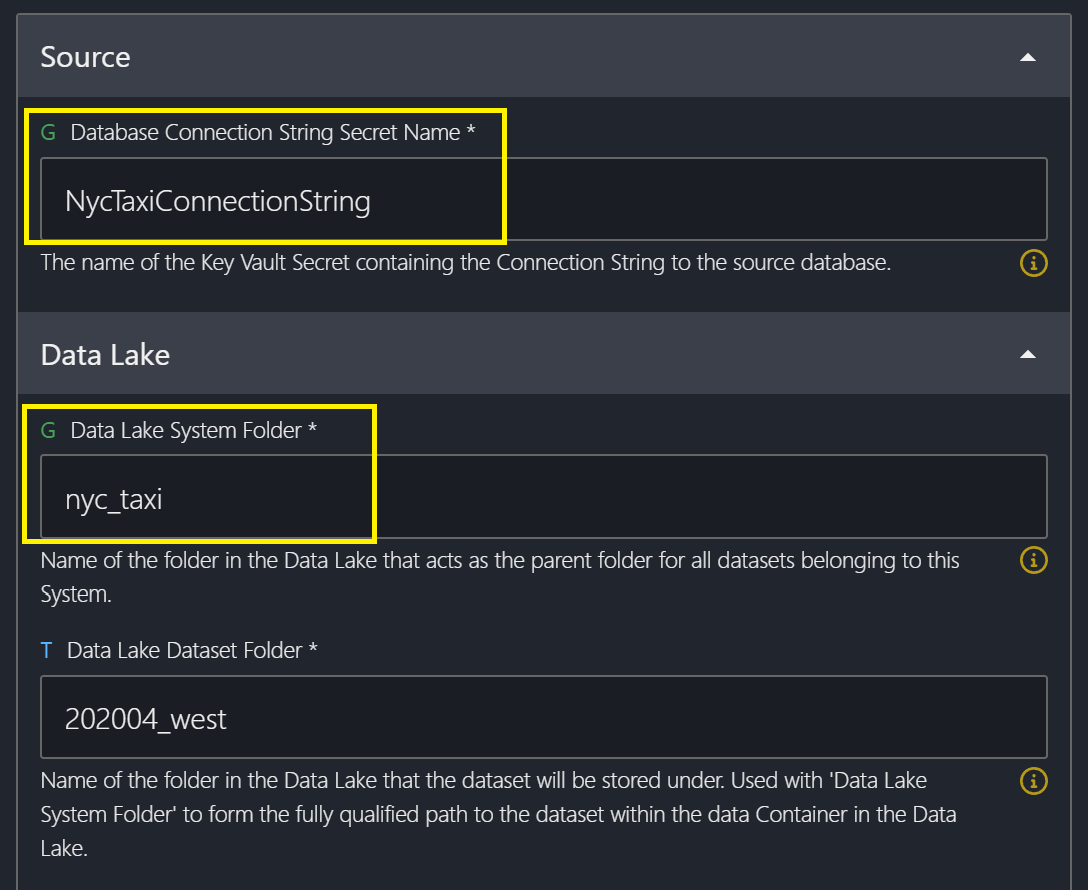
Tasks within a group can override group-level settings when needed:
- Open the individual task
- Navigate to the property you want to override
- Enter a task-specific value
- Click Save
Key Concepts
| Term | Definition |
|---|---|
| Task Group | A container for sharing configuration across multiple tasks |
| Inheritance | Tasks automatically receive properties from their parent group |
| Override | A task-level setting that takes precedence over the group setting |