Using Configuration
Learn how to use configuration to centralise and reuse settings across your Insight Factory environment.
Overview
Configuration items are named variables that can be referenced within tasks and task groups. Use them for environment-specific values like URLs, schema names, or connection strings instead of hardcoding values into tasks.
In this guide, you'll learn how to:
- Create configuration items
- Reference configurations in tasks
- Manage environment-specific settings
Prerequisites
- Understanding of tasks
- Familiarity with task groups (see Task Groups)
Step-by-Step Guide
1. Understanding configuration items
Configuration items are referenced by name throughout your environment. Update a value in one place and it applies wherever it's referenced.
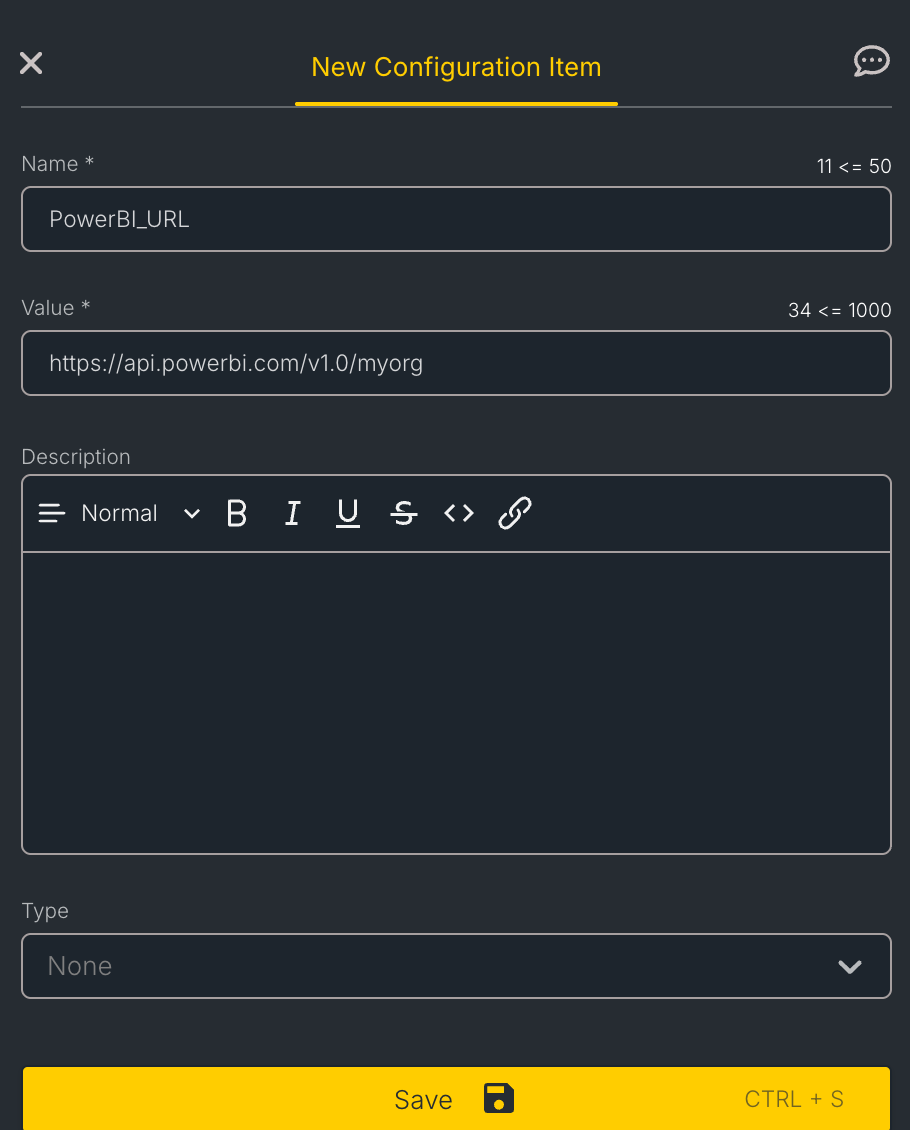
2. Create a configuration item
- Navigate to Build > Configuration
- Click New Configuration Item
- Provide:
- Name: A unique identifier for this configuration item
- Value: The configuration value
- Description (optional): Explain what this configuration controls
- Type (optional): Categorise the configuration (e.g., Databricks Cluster, Databricks Catalog)
- Click Save
3. Configuration Value Types
Configurations can store various value types:
| Type | Example | Use Case |
|---|---|---|
| String | "raw" | Schema names, prefixes |
| Number | 3 | Retry counts, batch sizes |
| Boolean | true | Feature flags |
4. Reference configurations in tasks
To use a configuration value in a task, reference the configuration item using double angle brackets: <<ConfigurationName>>.
For example, if you have a configuration item named PowerBI_URL, reference it in a task property as <<PowerBI_URL>>.
To reference a configuration:
- Open your task panel
- Navigate to the property you want to configure
- Enter the configuration reference using double angle brackets:
<<ConfigurationName>>
5. Environment-Specific Values
Configuration items must have the same name across all three environments. Only the value changes. For instance, if you have a configuration item called MyDestinationSchema, the values within the three environments could be:
| Environment | Value |
|---|---|
| Development | dev_schema |
| Test | test_schema |
| Production | prod_schema |
This allows the same task to work correctly in each environment without changes.
6. Configuration Best Practices
Do:
- Use meaningful, descriptive names
- Document what each configuration controls
- Review configurations during deployments
Avoid:
- Storing sensitive credentials (use Connections instead)
- Overly generic names like "config1"
Key Concepts
| Term | Definition |
|---|---|
| Configuration Item | A named setting with a value that can be referenced across tasks |
| Configuration Reference | A pointer to a configuration value using <<ConfigurationName>> syntax |
| Environment Override | Different configuration values for different environments |