Solutions
Solutions group related production lines for easier management and monitoring.
What are Solutions
A solution is a container for production lines that serve a common purpose. Use solutions to organize production lines that feed the same dashboard, support the same business process, or belong to the same data domain.
Key Features
From a solution page, you can:
- Run individual production lines
- Deploy production lines to other environments
- Edit production line properties (names and descriptions)
- Enable notifications at the solution level instead of per production line
- View pulse health filtered to show only the solution's production lines
Creating a Solution
- Navigate to Build > Solutions
- Click the + button next to the Solutions header
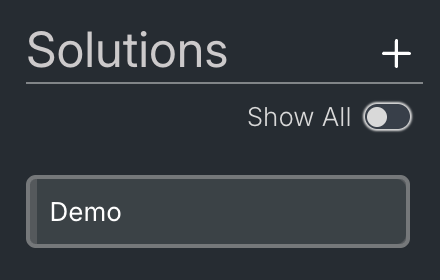
- Enter a name for the solution
- Add production lines (see below)
If no solutions exist yet, click the Create Solution button in the main content area instead.
Adding production lines to a solution
- Open the solution
- Click Add Production Line
- Select one or more production lines from the list
- Click Add Production Line
Removing production lines from a solution
- Open the solution
- Right-click a production line and select Remove, or use the Remove and Delete buttons in the action bar at the bottom of the page
The context menu has three options:
- Remove From Solution — removes the production line from the solution but keeps it in the environment
- Delete Production Line — deletes the production line from the environment
- Delete Production Line & Tasks — deletes the production line and all its tasks from the environment
Notifications
Enable notifications at the solution level to receive alerts for all production lines in the solution. This replaces the need to subscribe to each production line individually.
See Notifications for setup instructions.
Viewing Pulse Health
The pulse health view on a solution page shows only the production lines within that solution. This filtered view makes it easier to monitor the health of related production lines without seeing unrelated data.
Permissions
To manage permissions for a solution:
- Open the solution
- Click the panel icon next to the three dots at the top of the screen
- Select the Permissions tab
When you protect a solution, all production lines and tasks within it inherit the protected status. This cascading behavior ensures consistent access control across related resources.
See Enabling Permissions for more information.
When to use solutions
- Multiple production lines feed the same report or dashboard
- Production lines belong to the same business process
- You want to manage notifications for related production lines together
- You need to organize production lines by data domain or team