Enabling Permissions on your Resources
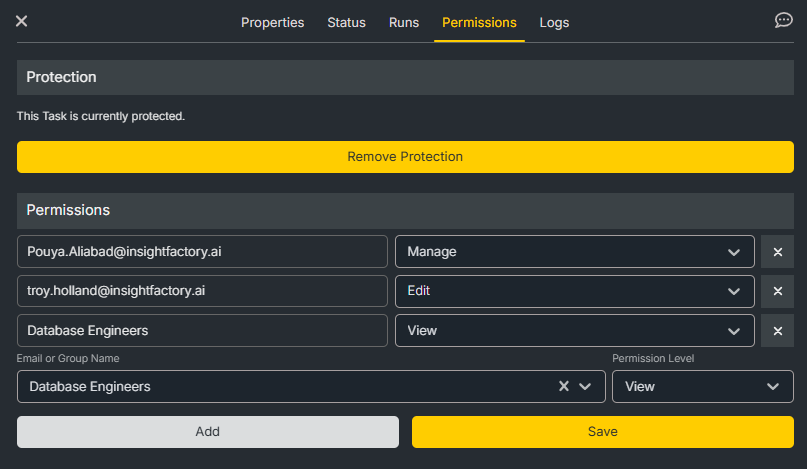
You can enable permissions on your Insight Factory resources by setting their status to protected. You can find this option under the Permissions tab when you click on a resource. Resources that support this option include Tasks, Production Lines, Solutions, Task Groups, and Connections.
Permission Levels
When you mark a resource as protected, you become the manager of that resource, and can add users and groups to that resource. When you add a user or group to a resource you must also assign them a permission. The supported permission levels are
- VEIW: Read access to the resource
- EDIT: Write access to the resource properties
- MANGE: Allows resource deletion and management of permissions, including reverting the resource to be unprotected
- RUN: A special permission for Tasks and Production Lines that allows for reading their properties and scheduling them to run but not editing
Viewing Protected Resources
On tables, resources that are protected appear with a lock icon next to them. For protected resources that you have access to, whether as a manager or at least with VIEW permissions, the lock icon will be grey. Resources that are protected but you do not have access to won't appear on the table by default. However, you can choose to Show All items in the table to see the name and code of these resources, and you will also see a yellow lock icon next to them.

Permission Requests
When you attempt to open a resource you don't have access to, you will be prompted to request access to it. Doing so will pop up a form where you can select the permission level you need and optionally a reason for why you're requesting access. Once you submit this form it will appear under Permission Requests in the permissions page. You can find this page under the Administer section of the sidebar.
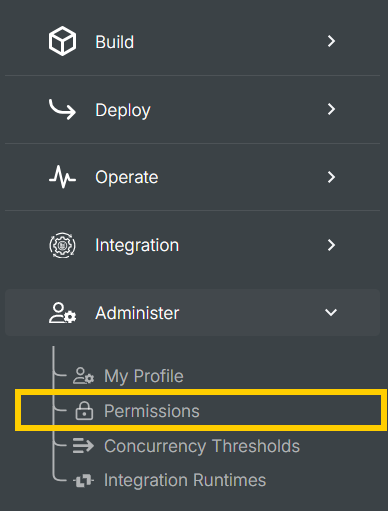
In the permissions page, you can view your pending permission requests and also approve or decline permission requests from other users to your resources.
Permission Groups
Also in the permissions page, you can create permission groups. A permission group is simply a collection of users within your Insight Factory that share a permission level. This makes managing permissions for your teams easy, as you can assign everyone in your team edit permissions, and then assign that team to a production line rather than assign each member individually.